Best Portable Chargers for Laptops 2026: TSA-Approved Power Banks
We tested 7 high-wattage USB-C PD power banks for charging MacBooks and laptops on the go. TSA-approved, 65W-200W output, tested across 20+ countries.
Your laptop is dead. You are in the middle seat of a 12-hour flight from Dubai to Bangkok with a deadline in 6 hours, and the seat back outlet does not work. Or you are in a cafe in Medellin where every outlet is taken and the owner is giving you the side-eye for nursing a single coffee for three hours. Or you are on an overnight bus in Vietnam where the USB port delivers a pathetic 5W that your laptop ignores entirely.
If you work remotely and travel, a high-wattage USB-C power bank is not a luxury — it is infrastructure. The difference between a phone power bank and a laptop power bank is the difference between 15W and 65-200W of charging power. Your phone sips power. Your laptop drinks it. The power bank has to keep up.
We have been testing laptop power banks across three years of full-time travel, through airports with working and broken outlets, buses with and without USB ports, cafes with and without available sockets, and off-grid coworking sessions powered by nothing but a power bank and determination. If you have already read our best power banks for travel guide, this article focuses specifically on the high-wattage models that can actually charge a laptop — not just a phone.
Here are the 7 best portable laptop chargers in 2026, all TSA-approved and tested in real travel scenarios.
| Feature | Baseus 65W (20K) | Anker 737 (24K) | Anker Prime (20K) | Ugreen Nexode (20K) | INIU B63 (25K) | Shargeek Storm 2 Slim | Nitecore NB20000 |
|---|---|---|---|---|---|---|---|
| Capacity | 20,000mAh (74Wh) | 24,000mAh (88.8Wh) | 20,000mAh (71.4Wh) | 20,000mAh (72Wh) | 25,000mAh (92.5Wh) | 20,000mAh (74Wh) | 20,000mAh (72Wh) |
| Max USB-C Output | 65W | 140W | 100W | 100W | 65W | 100W | 100W |
| Total Output | 65W | 140W | 200W | 130W | 65W | 100W | 100W |
| Recharge Speed | 65W input (2 hrs) | 140W input (<1 hr) | 100W input (75 min) | 80W input (1.5 hrs) | 65W input (2.5 hrs) | 65W input (2 hrs) | 45W input (3 hrs) |
| Weight | 0.92 lbs (420g) | 1.38 lbs (630g) | 1.04 lbs (472g) | 1.12 lbs (510g) | 1.10 lbs (500g) | 1.10 lbs (500g) | 0.64 lbs (291g) |
| Ports | 2x USB-C, 1x USB-A | 2x USB-C, 1x USB-A | 2x USB-C, 1x USB-A | 2x USB-C, 1x USB-A | 2x USB-C, 1x USB-A | 1x USB-C, 1x USB-A | 2x USB-C, 1x USB-A |
| Display | Yes (LED) | Yes (LED) | Yes (Smart) | Yes (TFT color) | Yes | Yes (IPS full-color) | No (LEDs only) |
| Price | ~$36 | ~$110 | ~$130 | ~$80 | ~$40 | ~$179 | ~$70 |
| Our Pick | Best Value | Best Overall | Best for Pro Laptops | Best Mid-Range | Best Budget Capacity | Best Display | Best Ultralight |
| Visit Baseus 65W (20K) | Visit Anker 737 (24K) | Visit Anker Prime (20K) | Visit Ugreen Nexode (20K) | Visit INIU B63 (25K) | Visit Shargeek Storm 2 Slim | Visit Nitecore NB20000 |
Understanding Laptop Charging: What You Need to Know
Before you buy, you need to understand the numbers. Laptop charging is fundamentally different from phone charging, and buying the wrong power bank means your laptop either charges painfully slowly or refuses to charge at all.
Wattage Requirements by Laptop
| Laptop | Charger Wattage | Minimum Power Bank | Recommended |
|---|---|---|---|
| MacBook Air M2/M3 | 30-35W | 30W USB-C PD | 65W |
| MacBook Pro 14” M3/M4 | 70W | 65W USB-C PD | 100W |
| MacBook Pro 16” M3/M4 | 140W | 100W USB-C PD | 140W |
| ThinkPad X1 Carbon | 45-65W | 45W USB-C PD | 65W |
| Dell XPS 13/15 | 45-65W | 45W USB-C PD | 65-100W |
| Surface Laptop | 65W | 65W USB-C PD | 65-100W |
| HP Spectre x360 | 65W | 65W USB-C PD | 65-100W |
| Framework Laptop | 60-100W | 65W USB-C PD | 100W |
Key insight: Your laptop will charge from a power bank with lower wattage than its wall charger — it will just charge slower. A MacBook Pro 14-inch with a 100W charger will still accept charge from a 65W power bank, but it will charge at 65W instead of 100W. Under heavy workload, a 65W power bank may only maintain the battery level rather than actually increasing it. For reliable charging during active use, match or exceed your laptop’s charger wattage.
TSA and Airline Rules for Laptop Power Banks
This is where most travelers get confused. The rules are based on watt-hours (Wh), not milliamp-hours (mAh):
- Under 100Wh: Carry-on only, no airline approval needed
- 100-160Wh: Carry-on only, requires airline approval, limited to 2 per person
- Over 160Wh: Banned from all passenger aircraft
The formula: Wh = mAh x 3.7V / 1000
In practice, this means laptop power banks are capped at approximately 27,000mAh for hassle-free flying (27,000 x 3.7 / 1000 = 99.9Wh). Every pick in this guide is under 100Wh.
How We Tested
We evaluated each laptop power bank across six criteria:
- Actual laptop charge delivery. We drained a MacBook Air M2 and MacBook Pro 14-inch to 10%, then charged each using the power bank while monitoring real-time wattage with a USB-C power meter. We recorded charge percentage delivered and time to charge.
- Multi-device performance. We charged a laptop and phone simultaneously to measure how much the USB-C output drops under shared load.
- Recharge speed. How long it takes to fully charge the power bank itself using its maximum-rated input.
- Weight and portability. Actual weight measured on a kitchen scale, plus subjective assessment of how it fits in daypacks, laptop bags, and carry-on luggage.
- Build quality and durability. Each bank traveled with us for a minimum of 3 months. We assessed materials, port durability, display quality, and overall construction.
- Heat management. We measured surface temperature during maximum-wattage output. Excessive heat reduces battery lifespan and can trigger thermal throttling.
Best Portable Laptop Chargers
1. Baseus 65W 20,000mAh — Best Value
The Baseus 65W is the laptop power bank we recommend to anyone who asks “what is the cheapest power bank that can actually charge a laptop?” At around $36, it costs less than most power banks that can only charge phones — and it handles laptops with genuine competence.
The 65W USB-C PD output charges a MacBook Air M2 at full speed and handles most Windows ultrabooks (ThinkPad, XPS, Spectre) without breaking a sweat. For a MacBook Pro 14-inch, the 65W output is slightly below the optimal 70W, but the difference is negligible in practice — it charges about 10% slower than the wall adapter.
Three ports (two USB-C, one USB-A) let you charge a laptop and phone simultaneously, though total output is shared. The LED display shows remaining capacity and real-time wattage — not as detailed as premium displays but functional.
Real-world performance: On a 6-hour flight from London to New York, the Baseus 65W took our MacBook Air M2 from 15% to 92% while we worked the entire flight. That is a complete work session powered by a $36 power bank that weighs less than a pound. The 65W input means it recharges in about 2 hours from a wall outlet — fast enough to top it off during an airport layover.
Pros
- ~$36 price is extraordinary for 65W USB-C PD
- Charges MacBook Air and most ultrabooks at full speed
- 420g is lighter than most 65W+ competitors
- Three ports for multi-device charging
- Metal shell feels far more premium than the price suggests
Cons
- 65W may not keep up with MacBook Pro 16-inch under heavy load
- Display is basic compared to premium competitors
- Pass-through charging is slower than dedicated connections
- No fast-charge for Samsung devices via USB-A

2. Anker 737 PowerCore 24K — Best Overall
The Anker 737 is the laptop power bank we carry every day. At 24,000mAh (88.8Wh), it packs the most capacity of any airline-safe power bank in this guide while delivering a blistering 140W USB-C PD 3.1 output that charges even a MacBook Pro 16-inch at near-maximum speed.
The 140W bidirectional charging means it charges itself as fast as it charges your devices. Plug it into a 140W GaN charger and it goes from 0 to 100% in under 60 minutes. In a cafe with limited outlet time, that speed is the difference between leaving with a full bank and leaving with a half-charged one.
Real-world performance: The 737 delivered one complete MacBook Air M2 charge from 0% to 100% with 40% battery remaining in the power bank — enough for three full phone charges on top of the laptop charge. On a 14-hour bus from Mexico City to Oaxaca, it kept a MacBook, two phones, and a pair of AirPods alive for the entire trip without breaking a sweat.
The digital display shows exact percentage, current input/output wattage, and estimated time remaining. At 630 grams, it is heavier than the Baseus — you will notice it in a daypack. But for the capacity and charging speed it delivers, the weight is justified.
Pros
- 140W output charges any USB-C laptop at maximum speed
- 24,000mAh is the most capacity under the 100Wh airline limit
- Recharges itself in under 60 minutes with 140W input
- Three ports handle laptop + phone + accessory simultaneously
- Digital display with real-time wattage and time estimates
Cons
- 1.38 lbs is noticeably heavy for a portable charger
- ~$110 is a premium price
- Thick form factor does not fit in pants pockets
- Gets warm during 140W output (normal but noticeable)
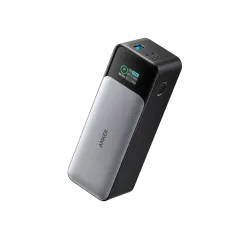
3. Anker Prime 20,000mAh — Best for Pro Laptops
The Anker Prime is purpose-built for demanding laptops. Its 200W total output is the highest in this guide, with a single USB-C port delivering up to 100W — enough to charge a MacBook Pro 14-inch at full speed even under heavy workload. When you plug in all three ports, the combined output hits 200W, meaning you can charge a laptop at 100W while simultaneously fast-charging a phone and tablet.
At 472 grams, it is lighter than the 737 despite delivering more total wattage. The smart display shows granular charging data, and the compact cylindrical design fits cleanly in bag side pockets. The 100W input means it recharges itself in about 75 minutes.
Real-world performance: We used the Prime as our primary laptop charger for two months of coworking in Lisbon and Barcelona. It delivered about 85% of a MacBook Pro 14-inch charge (from 10% to approximately 80%) while we worked through video calls and heavy browser sessions. The 100W output maintained positive charge even during demanding tasks — something 65W banks struggle with on MacBook Pros.
The tradeoff versus the 737 is 4,000mAh less capacity (71.4Wh vs 88.8Wh). If you need absolute maximum capacity, the 737 wins. If you need maximum per-port charging speed for a demanding laptop, the Prime wins.
Pros
- 200W combined output -- highest in this roundup
- 100W single-port charges MacBook Pro at full speed
- Lighter than the 737 despite higher total wattage
- 100W input recharges in ~75 minutes
- Compact cylindrical form factor
Cons
- ~$130 is the most expensive pick
- Only 20,000mAh -- about one laptop charge
- Cylindrical shape wastes space in flat pockets
- Lower total capacity than the 737
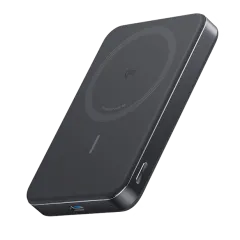
4. Ugreen Nexode 20,000mAh — Best Mid-Range
The Ugreen Nexode is the Goldilocks laptop power bank. At $80, it delivers 100W single-port USB-C output (matching the Anker Prime) in a package that costs $50 less. The standout feature is the TFT color display — the best display on any power bank we have tested in this price range, showing real-time input/output wattage, remaining capacity, and estimated charge time in full color.
Three ports (two USB-C, one USB-A) handle simultaneous charging. The 130W total output is shared across ports — plug in a laptop and a phone, and the laptop gets 100W while the phone gets 30W. The 80W input recharges the bank in about 1.5 hours.
Real-world performance: We used the Nexode for three weeks across Thailand as our daily laptop charger. It charged a MacBook Air M2 at near-maximum speed and handled simultaneous phone charging without throttling. Build quality is excellent — the matte black shell resists fingerprints and the USB-C ports feel solid after hundreds of insertion cycles.
Pros
- 100W USB-C output matches $130+ premium banks
- Best-in-class TFT color display at this price
- ~$80 is strong value for 100W performance
- 80W input recharges in about 1.5 hours
- Professional, compact design
Cons
- 1.12 lbs is in the mid-weight range
- USB-A port maxes out at 22.5W
- 130W total output drops per-port speed when sharing
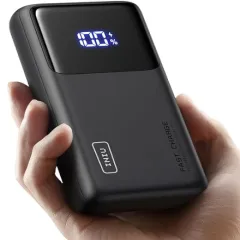
5. INIU B63 25,000mAh — Best Budget Capacity
If raw capacity matters more than charging speed, the INIU B63 packs 25,000mAh (92.5Wh) — near the airline-safe limit — at just $40. The 65W USB-C PD output handles MacBook Air and most ultrabooks at full speed, making this an excellent choice for travelers who want the most charge cycles per dollar.
Real-world performance: The INIU delivered the most total charge of any budget power bank in our testing. It took a MacBook Air M2 from 5% to 100% with enough left over for two full phone charges. The display is basic but functional. Build quality is solid for the price — the plastic shell does not feel premium, but it survived 4 months of daily travel without any issues.
The tradeoff is charging speed. At 65W maximum, it charges laptops slower than 100W+ models and takes longer to recharge itself (about 2.5 hours). For travelers who plan ahead and charge overnight, this is not a problem. For those who need fast turnaround between charging sessions, spend more on the Ugreen or Anker.
Pros
- 25,000mAh is near the airline-safe maximum
- ~$40 is exceptional value for this capacity
- 65W USB-C PD charges MacBook Air at full speed
- Enough capacity for one full laptop + two phone charges
- Reliable build quality for budget pricing
Cons
- 65W is slower than 100W+ competitors
- 2.5-hour recharge time is the slowest here
- Plastic shell feels less premium than metal options
- Basic LED display
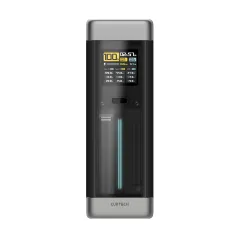
6. Shargeek Storm 2 Slim — Best Display
The Shargeek Storm 2 Slim is for power users who want to know exactly what their power bank is doing at every moment. The full-color IPS display shows real-time voltage, amperage, wattage, temperature, and a graphical representation of power flow between the bank and connected devices. It is the most informative display on any power bank, period.
The 100W USB-C PD output handles demanding laptops, and the 74Wh capacity is comfortably airline-safe. The transparent case design (available in clear versions) is a head-turner that consistently sparks conversations in coworking spaces and airports.
Real-world performance: The Storm 2 Slim is the power bank we reach for when diagnosing charging issues. Is your laptop drawing 45W or 65W? Is the cafe outlet delivering consistent power or fluctuating? The detailed display answers these questions instantly. As a charger, it performs on par with the Ugreen Nexode — 100W output, reliable performance, solid build.
The downside is price. At ~$179, it costs nearly 5x the Baseus 65W for essentially the same charging capability with a better display and design. Unless you genuinely value the detailed power monitoring or transparent aesthetics, the Ugreen Nexode delivers 90% of the experience at 45% of the price.
Pros
- Best-in-class IPS display with granular power data
- 100W USB-C PD output for demanding laptops
- Unique transparent design aesthetic
- Detailed diagnostics for troubleshooting
- Solid 74Wh capacity
Cons
- ~$179 is expensive for a 20,000mAh bank
- Only 2 ports (1 USB-C, 1 USB-A)
- 65W input recharges slower than competitors
- Transparent shell shows internal wear over time

7. Nitecore NB20000 — Best Ultralight
When every gram counts, the Nitecore NB20000 delivers 100W USB-C PD output in a package that weighs just 291 grams — nearly half the weight of the Anker 737. Nitecore achieves this through carbon fiber composite construction and aggressive weight optimization that strips away everything non-essential.
At 20,000mAh (72Wh), the capacity is standard for this class. The 100W output handles any laptop. The catch is the spartan feature set: no display (just LED indicators), no fast recharge (45W input takes about 3 hours), and a premium price for what is essentially a weight savings.
Real-world performance: The NB20000 is the power bank we carry on hiking days and long walks. At 291g, it adds almost nothing to a daypack compared to the pound-plus alternatives. It charged a MacBook Air M2 from 20% to 90% in about 90 minutes — perfectly functional if not blazing fast. The carbon fiber construction feels indestructible and resists scratches better than any metal or plastic power bank in this guide.
The NB20000 is a specialist product for weight-conscious travelers. If you are a thru-hiker, ultralight traveler, or anyone who has optimized their pack weight to the gram, this is the one. For everyone else, the Baseus or Ugreen deliver better value at slightly more weight.
Pros
- 291g is half the weight of most 20K laptop banks
- 100W USB-C PD charges any laptop
- Carbon fiber construction is extremely durable
- Compact form factor fits anywhere
- Premium build quality
Cons
- ~$70 is a premium for weight savings alone
- No display -- only LED indicators
- 45W input means 3-hour recharge time
- Carbon fiber construction provides less heat dissipation
Maximizing Your Laptop Power Bank
Extend Battery Life With These Habits
- Lower your screen brightness. Dropping from 100% to 50% brightness can extend battery life by 30-40%. In most indoor settings, 40-60% brightness is perfectly readable.
- Close unnecessary apps and tabs. Each Chrome tab consumes RAM and CPU cycles. Close everything you are not actively using.
- Disable Bluetooth and WiFi when offline. If you are working on a document offline, toggle off wireless radios to save power.
- Use Low Power Mode. macOS Low Power Mode and Windows Battery Saver reduce background activity and CPU performance. The slowdown is barely noticeable for writing, email, and browsing.
- Kill video calls when possible. Video encoding is one of the most power-intensive tasks a laptop performs. Switch to audio-only calls when possible, or use your phone for calls while preserving laptop battery for work.
The Ideal Travel Charging Kit
For most digital nomads and remote workers, we recommend this charging setup:
- Primary: Baseus 65W 20,000mAh (
$36) or Anker 737 24K ($110) for daily laptop charging - Wall charger: A 65-100W GaN USB-C charger (takes up half the space of Apple’s brick)
- Cable: A single 100W USB-C to USB-C cable, 6 feet long
- Power strip: A compact travel power strip for outlets shared with other travelers
For off-grid or van life scenarios, pair your power bank with a portable solar charger for renewable recharging.
How to Choose: Quick Decision Guide
Get the Baseus 65W ($36) if: You want the best value and primarily use a MacBook Air or ultrabook. This is the default recommendation for most travelers.
Get the Anker 737 ($110) if: You want maximum capacity and charging speed in one package. Best all-rounder for serious remote workers.
Get the Anker Prime ($130) if: You use a MacBook Pro 14/16-inch or other demanding laptop and need guaranteed full-speed charging.
Get the Ugreen Nexode ($80) if: You want 100W performance at a mid-range price with the best display in its class.
Get the INIU B63 ($40) if: Maximum capacity on a budget is your priority and you do not mind slower charging speeds.
Get the Nitecore NB20000 ($70) if: Weight is your primary concern and you are willing to pay a premium for ultralight construction.
For our complete roundup of power banks including phone-focused options, see our best power banks for travel guide. And for the rest of your charging setup, check our best travel power strips and complete digital nomad tech stack guides.
Frequently Asked Questions
Can a portable charger charge a laptop?
Yes, but only if the power bank supports USB-C Power Delivery (PD) at sufficient wattage. A MacBook Air needs at least 30W, a MacBook Pro 14-inch needs 70W, and most Windows ultrabooks need 45-65W. Standard USB-A power banks cannot charge laptops. Look for power banks with 65W or higher USB-C PD output -- all picks in this guide meet that threshold.
What wattage power bank do I need for a MacBook Pro?
For a MacBook Air M2/M3, 30W is the minimum but 65W charges at full speed. For a MacBook Pro 14-inch M3/M4, you need at least 70W for full-speed charging -- a 100W power bank is ideal. For a MacBook Pro 16-inch, the charger is 140W, but a 100W power bank will still charge it (just slower under heavy load). The Anker Prime 200W handles any MacBook at maximum speed.
How many times can a power bank charge a laptop?
A 20,000mAh power bank (74Wh) provides roughly 75-85% of a single charge for a MacBook Air M2 (52.6Wh battery) after accounting for 15-20% conversion losses. A 26,800mAh bank (99.2Wh) provides about one full charge. For a MacBook Pro 14-inch (70Wh battery), a 20,000mAh bank gives about 60-70% charge, and a 26,800mAh bank gives about 85-90%. You will never get the full rated capacity as usable charge -- energy is always lost to heat and voltage conversion.
Are laptop power banks allowed on airplanes?
Yes, with restrictions. The FAA allows lithium-ion batteries under 100 watt-hours (Wh) in carry-on luggage without airline approval. Between 100-160Wh, you need airline approval and are limited to two per person. Over 160Wh is banned from passenger aircraft entirely. Most laptop power banks in the 20,000-27,000mAh range are under 100Wh. Power banks must always go in carry-on bags, never in checked luggage.
What is the difference between USB-C PD and regular USB-C?
Regular USB-C delivers up to 15W of power -- enough for phones but far too slow for laptops. USB-C Power Delivery (PD) is a fast-charging protocol that enables 20W to 240W of power over the same USB-C connector. For laptop charging, you need USB-C PD specifically. The wattage rating (65W, 100W, 140W) indicates the maximum power the port can deliver. Always check the spec sheet for PD wattage, not just the presence of a USB-C port.
Can I charge my power bank and laptop at the same time?
Yes, this is called pass-through charging. Most modern laptop power banks support it, meaning you can plug the power bank into a wall outlet while simultaneously charging your laptop from the power bank. However, pass-through charging generates more heat and may charge your devices slower than direct connections. It is useful in airports or cafes with limited outlets -- plug the power bank into the wall and daisy-chain your laptop off it.
65W vs 100W vs 140W power bank -- which do I need?
65W is the minimum for reliable laptop charging -- it handles MacBook Air, most Windows ultrabooks, and iPads at full speed. 100W covers everything including MacBook Pro 14-inch and gaming ultrabooks. 140W is only necessary for MacBook Pro 16-inch at maximum speed or if you want to charge multiple devices at full speed simultaneously. For most travelers, 65W-100W hits the sweet spot of price, size, and capability.