Best Portable Monitors for Digital Nomads 2026: Tested for Travel
We tested 7 portable monitors across cafes, Airbnbs, and coworking spaces in 12 countries. The best USB-C travel monitors for remote work productivity.
Dual screens changed everything about working from cafes and Airbnbs. After testing 7 portable monitors across 12 countries — from coworking spaces in Chiang Mai to cramped cafe tables in Lisbon to beach-adjacent apartments in Playa del Carmen — we can confidently say a USB-C portable monitor is one of the best productivity investments a digital nomad can make.
The data backs this up. Research by Jon Peddie Research found that dual-monitor setups boost productivity by up to 42%. A University of Utah study pinpointed a 44% boost for text-based tasks and 29% for spreadsheets. If you write, code, manage projects, or do any work that involves referencing one thing while editing another, a second screen eliminates the constant alt-tabbing that silently destroys your flow.
The good news: portable monitors have gotten remarkably good and affordable. You can get a sharp, lightweight, USB-C-powered second screen for $60-250. The bad news: there are hundreds of near-identical options on Amazon, many with suspicious reviews and unclear specs.
We cut through the noise. Here are the monitors that actually survived months of nomad life.
Quick Comparison: Best Portable Monitors for Digital Nomads
| Feature | ASUS ZenScreen MB16ACV | Arzopa Z1RC | KYY K3 | ViewSonic VG1655 | Lepow Z1-Gamut |
|---|---|---|---|---|---|
| Size | 15.6" | 16" | 15.6" | 15.6" | 15.6" |
| Resolution | 1080p IPS | 2.5K QHD IPS | 1080p IPS | 1080p IPS | 1080p IPS |
| Weight | 1.76 lbs | 1.7 lbs | 1.7 lbs | 1.8 lbs | 1.7 lbs |
| Brightness | 250 nits | 500 nits | 250 nits | 250 nits | 300 nits |
| Connection | USB-C | USB-C + HDMI | USB-C + Mini HDMI | USB-C (60W PD) | USB-C + Mini HDMI |
| Price | ~$220 | ~$130 | ~$70 | ~$200 | ~$150 |
| Our Pick | Best Overall | Best Value | Best Budget | Best for Business | Best Color |
| Visit ASUS ZenScreen MB16ACV | Visit Arzopa Z1RC | Visit KYY K3 | Visit ViewSonic VG1655 | Visit Lepow Z1-Gamut |
How We Tested
We evaluated each monitor on the criteria that matter for nomad life — not gaming benchmarks or lab measurements, but the things you actually care about when pulling a monitor out of your backpack at a cafe in Bangkok:
- Weight and portability. Can you carry it daily without noticing? Does it fit in a standard laptop sleeve?
- Screen quality. Brightness in sunny cafes, viewing angles when the table is at an odd height, color accuracy for design work.
- USB-C compatibility. Single-cable setup from any laptop? Or do you need adapters and extra power cables?
- Build quality and durability. Did it survive being tossed in a backpack, bumpy bus rides, and humid climates?
- Kickstand and ergonomics. Can you set it up quickly on any surface? Is the stand stable?
- Price-to-value ratio. Are you paying for the brand or for actual quality?
Every monitor was tested with a MacBook Air M3, a ThinkPad X1 Carbon, and a Samsung Galaxy S24 Ultra over a minimum of four weeks of daily use.
Best Portable Monitors for Digital Nomads
1. ASUS ZenScreen MB16ACV — Best Overall
The ASUS ZenScreen MB16ACV is the portable monitor we reach for first, every time. It is not the cheapest, not the sharpest, and not the brightest on this list. But it is the most reliable, most thoughtfully designed, and the one we trust to just work when we pull it out of a bag in any environment.
At 15.6 inches and 1080p, the IPS panel is sharp enough for text-heavy work, with accurate colors and wide viewing angles that hold up when you are sitting slightly off-center at a cafe table. The anti-glare coating is genuinely useful in bright environments — most budget monitors are glossy and become borderline unusable near a window.
What sets the ZenScreen apart is the build. The foldable kickstand snaps into portrait or landscape orientation without fumbling, which matters when you are setting up on a tiny table with a coffee and a laptop competing for space. It is thin (0.35 inches), light (1.76 lbs), and feels like premium hardware.
Connectivity is dead simple: one USB-C cable for video and power. No adapters, no second cable, no wall outlet needed. It draws power from your laptop and works immediately with macOS, Windows, and most Android devices. ASUS includes a USB-C to USB-A adapter for older laptops that lack USB-C video output.
The 250-nit brightness is adequate for indoor work but struggles in direct sunlight. For outdoor-heavy nomads, the Arzopa Z1RC’s 500 nits is a better bet.
Pros
- Excellent build quality with 3-year ASUS warranty
- Anti-glare IPS panel -- usable in bright cafes
- Single USB-C cable for video and power
- Foldable kickstand works in portrait and landscape
- Lightweight at 1.76 lbs
- Plug-and-play with macOS, Windows, and Android
Cons
- 250 nits -- not bright enough for outdoor use
- 1080p only -- no 2.5K or 4K option in this model
- Premium price compared to budget alternatives
- No HDMI port -- USB-C only
Best for: Nomads who want the most polished, reliable daily driver and do not mind paying a premium for ASUS build quality and warranty.
Check ASUS ZenScreen MB16ACV on Amazon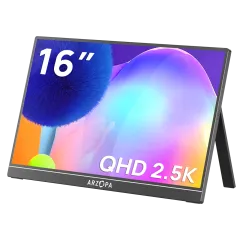
2. Arzopa Z1RC — Best Value (Our Sleeper Pick)
The Arzopa Z1RC is the monitor that surprised us most. For roughly $130, you get a 16-inch 2.5K (2560x1600) IPS panel with 500 nits of brightness and 123% sRGB coverage. On paper, it outclasses monitors twice its price. In practice, it mostly delivers.
The 2.5K resolution at 16 inches is noticeably sharper than 1080p at 15.6 inches. Text rendering is crisper, which makes a genuine difference during long writing and coding sessions. The extra 0.4 inches of screen does not sound like much, but the taller 16:10 aspect ratio gives you meaningfully more vertical space — you can see more lines of code, more spreadsheet rows, and less scrolling.
Brightness is the Z1RC’s secret weapon. At 500 nits, it is twice as bright as most competitors. We tested it at a rooftop cafe in Medellin with harsh midday sun and the screen was still perfectly readable. Budget monitors at 250 nits would have been washed out.
The built-in kickstand is functional but less refined than the ASUS ZenScreen’s. It works in landscape and portrait but wobbles slightly on uneven surfaces. The Arzopa survived a bumpy overnight bus from Mexico City to Oaxaca with zero dead pixels, which is more than we expected from a sub-$150 monitor.
It has both USB-C and Mini HDMI inputs. The 8-bit color panel and 123% sRGB make it surprisingly capable for light photo and design work.
Pros
- 2.5K resolution at a budget price -- sharper text than 1080p
- 500 nits -- usable in bright environments and outdoor cafes
- 123% sRGB coverage for color-accurate work
- 16:10 aspect ratio gives more vertical space
- USB-C and Mini HDMI inputs
- Excellent price-to-spec ratio
Cons
- Kickstand is less stable than ASUS on uneven surfaces
- Build quality is good but not premium
- Less established brand -- warranty support is slower
- Case/sleeve not included
Best for: Nomads who want the sharpest screen and best brightness for the money, especially if you work in bright environments or do design work.
Check Arzopa Z1RC on Amazon3. KYY K3 — Best Budget
The KYY K3 is the Amazon best-seller in portable monitors with over 10,000 reviews and a 4.4-star average, and after months of use we understand why. It does everything you need a portable monitor to do, for roughly $70.
The 15.6-inch 1080p IPS panel has decent color accuracy and 178-degree viewing angles. It is not going to impress a designer, but for writing, browsing, spreadsheets, Slack, and video calls, it looks perfectly fine. The included smart cover doubles as a stand with adjustable angles and protects the screen during travel, which is a thoughtful touch at this price.
Connectivity includes two USB-C ports and a Mini HDMI port. One USB-C handles both video and power. The second USB-C is for power input only, useful if you want to connect via HDMI and power the monitor from a USB charger or power bank.
At 1.7 lbs and 0.3 inches thick, it is as portable as monitors twice its price. We carried it daily for three weeks in Bali without any complaints. The screen protector film included in the box is a nice bonus for travel protection.
Where the KYY falls short is brightness (250 nits, marginal in bright rooms) and build quality (plastic chassis that flexes slightly under pressure). For a $70 monitor, these are acceptable trade-offs.
Pros
- Exceptional value at roughly $70
- 10,000+ reviews with 4.4-star Amazon average
- Included smart cover doubles as adjustable stand
- Screen protector film included
- Two USB-C ports plus Mini HDMI
- Thin (0.3 inches) and light (1.7 lbs)
Cons
- 250-nit brightness struggles in bright environments
- Plastic build flexes slightly under pressure
- Color accuracy is passable, not exceptional
- Stand angle options are limited
Best for: Budget-conscious nomads, first-time portable monitor buyers, or anyone who wants to test whether dual screens work for them before investing more.
Check KYY K3 on Amazon4. ViewSonic VG1655 — Best for Business Users
The ViewSonic VG1655 is the monitor you buy if your employer is paying for it or if you want a portable display backed by a major monitor brand with a real three-year warranty. ViewSonic has been making monitors for decades, and the VG1655 shows that pedigree.
The standout feature is 60W USB-C Power Delivery. This monitor does not just draw power from your laptop — it can charge your laptop simultaneously. Plug in a USB-C PD charger to the monitor, connect the monitor to your laptop with one cable, and your laptop charges while you work on a dual-screen setup. This is genuinely useful in cafes and airports where outlets are scarce. One cable to the wall, one cable to the laptop, two screens and a charged battery.
The 15.6-inch 1080p IPS panel with anti-glare coating matches the ASUS ZenScreen in quality. Dual built-in speakers are louder than most portable monitors (0.8W each), though you will still want headphones for anything serious. The magnetic detachable cover provides travel protection and props the monitor up at a comfortable angle.
At $200, it sits between the budget options and the ASUS ZenScreen. The 60W PD passthrough justifies the premium if you frequently work in power-constrained environments.
Pros
- 60W USB-C Power Delivery charges your laptop while in use
- Three-year ViewSonic warranty with established support
- Anti-glare IPS panel with accurate colors
- Magnetic cover for protection and propping
- Dual 0.8W speakers -- louder than most competitors
- Professional look suits client-facing environments
Cons
- 1080p only at this price point (Arzopa Z1RC offers 2.5K for less)
- Heavier at 1.8 lbs compared to competitors
- Magnetic cover stand has limited angle adjustment
- No HDMI input -- USB-C and Mini HDMI only
Best for: Business travelers and remote workers who value the 60W passthrough charging and a real brand warranty. Ideal if your company reimburses equipment.
Check ViewSonic VG1655 on Amazon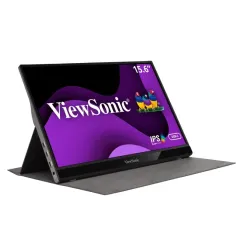
5. Lepow Z1-Gamut — Best Color Accuracy
The Lepow Z1-Gamut targets a specific niche: nomads who care about color accuracy but do not want to spend $300+ on an ASUS ProArt. With 97.6% NTSC color gamut (roughly equivalent to 100% sRGB), it renders colors more accurately than any other monitor under $200 on this list.
If you edit photos in Lightroom, design in Figma, or do any visual work where color matters, the Z1-Gamut produces noticeably richer, more true-to-life colors compared to the KYY K3 or InnoView. Side by side, budget monitors look washed out.
The 15.6-inch 1080p IPS panel also hits 300 nits — brighter than the 250-nit monitors dominating this price range, though still below the Arzopa Z1RC’s 500 nits. Build quality is solid, with a brushed aluminum back that resists fingerprints and feels more substantial than the all-plastic budget options.
Connectivity includes two USB-C ports and a Mini HDMI port. The included smart cover provides decent screen protection, though the stand angles are limited. At 1.7 lbs, it is comparable in portability to everything else on this list.
At roughly $150, the Z1-Gamut sits in an awkward spot: $80 more than the KYY K3 with marginally better specs, and $20 more than the Arzopa Z1RC which offers a sharper resolution. We recommend it specifically for nomads who prioritize color accuracy over resolution.
Pros
- 97.6% NTSC color gamut -- best color accuracy under $200
- 300-nit brightness -- slightly better than 250-nit standard
- Brushed aluminum back -- feels more premium than budget monitors
- Two USB-C ports plus Mini HDMI
- Smart cover included for travel protection
- Accurate enough for photo editing and design work
Cons
- 1080p resolution -- Arzopa Z1RC offers 2.5K for less money
- Stand angles are limited with the included cover
- Niche appeal -- most nomads are better served by the Z1RC or ZenScreen
- Availability fluctuates on Amazon
Best for: Photographers, designers, and content creators who need accurate color reproduction on the road without spending $300+.
Check Lepow Z1-Gamut on Amazon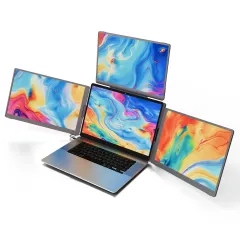
6. InnoView 15.6” — Best Ultra-Budget
The InnoView 15.6” is the cheapest monitor on this list worth buying. At roughly $60-80 depending on the sale cycle (Amazon frequently drops it below $60 during Prime Day and Black Friday), it is an absurdly affordable way to test whether a dual-screen setup works for your workflow.
PCWorld called it “passable performance at a crazy-low price,” and that is an accurate summary. The 1080p IPS panel has a 1000:1 contrast ratio and 140 PPI, which looks sharp for text and web browsing. Viewing angles are wide enough that color shift is minimal from the sides. However, color accuracy is the weakest on this list — blues and greens can look slightly off, and the image has a slightly artificial quality compared to the ASUS or Arzopa panels.
The monitor offers two USB-C ports and one HDMI port. A 90-degree adjustable stand is built in, and InnoView includes a protective case. At 1.8 lbs, it is slightly heavier than competitors but not noticeably so in a backpack.
Build quality is basic but functional. The plastic chassis does its job, and after six weeks of travel use, ours showed no issues. At this price, it is essentially disposable — if it breaks after a year of heavy travel, replacing it costs less than a nice dinner.
Pros
- Incredible price -- frequently under $60 on sale
- 1080p IPS with decent contrast and viewing angles
- Built-in 90-degree adjustable stand
- Protective case included
- USB-C and HDMI connectivity
- Low-risk way to try dual-screen nomad life
Cons
- Weakest color accuracy on this list
- Blues and greens can look slightly unnatural
- Basic plastic build quality
- Slightly heavier at 1.8 lbs
- No premium features (no PD passthrough, basic stand)
Best for: Nomads on a strict budget, students, or anyone who wants to try a portable monitor for under $80 before committing to a pricier option.
Check InnoView on Amazon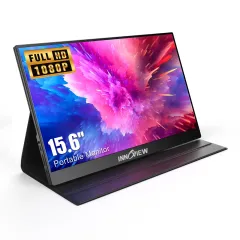
7. UPERFECT 15.6” FHD — Best for Versatility
The UPERFECT 15.6” rounds out our picks as a solid all-rounder that does a bit of everything well. It has HDR support (rare at this price), dual built-in speakers, USB-C and HDMI inputs, VESA mount compatibility, and a smart carrying case — all for roughly $130.
The 1080p IPS panel is crisp with good viewing angles. HDR mode adds noticeable punch to media consumption, though it is more of a marketing feature than a professional-grade HDR implementation. For watching Netflix or YouTube on your second screen during lunch, it makes a visible difference.
VESA mount support (75x75mm) is uncommon in portable monitors and gives you options. You can mount it on a small desk stand for a more ergonomic dual-screen setup at a coworking space, or attach it to an adjustable arm if you have a semi-permanent base.
The included smart case protects the screen and props it up at multiple angles. Build quality is mid-range — better than the InnoView, not as refined as the ASUS. At roughly $130, it offers more features than the KYY K3 without the Arzopa Z1RC’s resolution advantage.
Pros
- HDR support for better media consumption
- VESA mount compatible (75x75mm) -- rare for portable monitors
- Dual speakers -- louder than single-speaker competitors
- USB-C and HDMI inputs for broad compatibility
- Smart carrying case included
- Good balance of features and price
Cons
- 1080p resolution at $130 -- Arzopa Z1RC offers 2.5K for the same price
- HDR is more marketing than professional-grade
- Mid-range build quality
- Generic brand with less established warranty support
Best for: Nomads who want maximum features and connectivity options, or anyone who plans to use a VESA mount for a semi-permanent desk setup.
Check UPERFECT on Amazon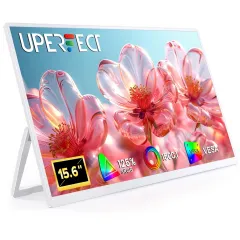
How to Choose a Portable Monitor for Travel
If you are still deciding, here is how to think about the key specs:
Size: 15.6” Is the Sweet Spot
Most portable monitors come in 13.3, 15.6, 16, or 17.3 inches. For travel, 15.6 to 16 inches offers the best balance. It is large enough to be genuinely useful for work (you can comfortably have a full document or IDE panel on it) but still fits alongside a laptop in a standard backpack.
Skip 13.3-inch models unless portability is your absolute top priority — they feel cramped for real work. Skip 17.3-inch models unless you rarely move — they are bulky and often need dedicated bags.
Resolution: 1080p Is Fine, 2.5K Is Better
At 15.6 inches, 1080p (1920x1080) looks sharp enough for text, code, and general productivity. You will not squint or strain. If you want noticeably crisper text — especially for long writing sessions or design work — 2.5K (2560x1600) is a worthwhile upgrade. The Arzopa Z1RC proves you can get 2.5K for $130, so the price premium is minimal.
4K on a 15.6-inch screen is overkill. The difference from 2.5K is nearly imperceptible at this size, it costs more, and it demands more GPU power from your laptop.
Panel Type: IPS or Nothing
Every monitor on this list uses an IPS panel, and there is no reason to consider anything else for productivity work. IPS gives you wide viewing angles (crucial when your chair height and desk situation change constantly as a nomad), accurate colors, and good brightness. Avoid TN panels (narrow angles, poor color) and VA panels (slower response, color shift at angles).
Connectivity: USB-C Is Non-Negotiable
Every modern laptop has USB-C. A USB-C portable monitor connects with one cable that handles video, power, and data. No adapter, no wall outlet, no second cable. This is the setup you want for cafe-hopping and quick setups.
Having a Mini HDMI or full HDMI input as a backup is nice for connecting older laptops, gaming consoles, or work-issued machines. But USB-C should be the primary connection.
Brightness: 250 Nits Minimum, 400+ for Outdoor Work
Indoor work in cafes, coworking spaces, and apartments: 250 nits is adequate. Working near windows, in bright rooms, or outdoors: you want 400+ nits. The Arzopa Z1RC’s 500 nits is the clear winner here.
Tips for Using a Portable Monitor While Traveling
After thousands of hours using portable monitors on the road, here are the practical tips we wish we had known from day one:
Protect the screen. A portable monitor’s screen is always exposed in your bag, unlike a laptop that closes. Use the included case or sleeve, and add a screen protector film if one is not included. The KYY K3 and Lepow Z1-Gamut include both.
Pair it with a laptop stand. A portable monitor next to a flat laptop creates an ergonomic disaster — you are constantly tilting your head between two different heights. A folding laptop stand like the Roost V3 (~$75 on Amazon ) raises your laptop screen to match the portable monitor height.
Carry one cable, not three. A good USB-C cable handles video, power, and data. Get a high-quality 100W USB-C cable (we like the Anker ones) and keep it in your tech pouch. You should not need more than one cable for a USB-C monitor setup.
Test your setup at home first. Not all USB-C ports output video. Thunderbolt and USB4 ports always do. USB 3.x ports sometimes do (look for the DisplayPort Alt Mode icon). Test your specific laptop-monitor combination before your trip.
Consider the weight budget. A portable monitor (1.7 lbs) plus a laptop stand (5.8 oz) plus an external keyboard (1.5 lbs) and mouse (3.5 oz) adds roughly 4 lbs to your pack. Decide whether the productivity gain justifies the weight for your travel style.
For the rest of your travel tech setup, check our full digital nomad packing list where we cover laptops, power banks, travel routers, and every other piece of gear we carry. And make sure your internet setup is dialed before worrying about monitors — a second screen is useless without reliable connectivity.
Our Final Recommendation
For most digital nomads, we recommend the Arzopa Z1RC as the best overall value. At $130, you get a 2.5K display with 500-nit brightness that outperforms monitors at twice the price. It is the monitor we would buy if starting fresh today.
If you want the most reliable, polished experience and do not mind paying more, the ASUS ZenScreen MB16ACV is the premium choice with the best build quality and warranty on this list.
If you are on a strict budget or just want to test whether a second screen works for you, the KYY K3 at $70 is a no-brainer entry point.
Buy the Arzopa Z1RC on Amazon -- Our Top PickFrequently Asked Questions
Is a portable monitor worth it for digital nomads?
Yes, for most digital nomads a portable monitor is absolutely worth the investment. Research by Jon Peddie Research found that dual-monitor setups boost productivity by up to 42%, and a University of Utah study showed a 44% boost for text tasks and 29% for spreadsheets. If you do any coding, writing, design, data analysis, or project management, a second screen eliminates constant window-switching and lets you reference materials while working. At 1.5 to 2 lbs and under $250, a portable monitor is one of the highest-ROI additions to a digital nomad's kit.
What size portable monitor is best for travel?
For most digital nomads, 15.6 inches is the sweet spot. It is large enough to be genuinely useful as a second workspace but still fits in a standard laptop sleeve or backpack. If you prioritize portability over screen size, a 13.3-inch monitor saves weight but feels cramped for spreadsheets and coding. A 16-inch monitor offers slightly more workspace with minimal extra weight. Avoid 17-inch models unless you rarely move -- they add bulk and often require a dedicated carrying case.
Do portable monitors work with MacBook Air?
Yes, all USB-C portable monitors work with the MacBook Air. However, M1 and M2 MacBook Air models officially support only one external display. You can use workarounds like DisplayLink adapters to run a second external screen, but this requires a third-party driver. The M3 and M4 MacBook Air models support one external display natively with the lid closed and two with the lid open. A single USB-C portable monitor works seamlessly with any Apple Silicon MacBook.
How much do portable monitors weigh?
Most 15.6-inch portable monitors weigh between 1.5 and 2.0 lbs (0.7 to 0.9 kg), roughly the same as a large tablet like an iPad Pro. With a protective case or sleeve, expect 2.0 to 2.5 lbs total. The lightest models like the ASUS ZenScreen MB16ACV come in at 1.76 lbs. Budget monitors tend to be slightly heavier, around 1.8 to 2.0 lbs. The weight is barely noticeable in a backpack alongside a laptop.
Can I use a portable monitor without a power outlet?
Yes. Most modern portable monitors draw power directly from your laptop over USB-C, requiring no external power source or adapter. A single USB-C cable handles both video and power. This does drain your laptop battery faster -- expect roughly 10-15% more battery consumption. If you need to preserve battery, some monitors also accept power from a USB-C power bank. Models with Mini HDMI require a separate USB connection for power when using HDMI input.
What resolution should I get for a portable monitor?
For most digital nomads, 1080p (1920x1080) is the practical choice at 15.6 inches. It looks sharp, works well with every laptop, and keeps prices under $150 for budget options. If you do design, photo editing, or want crisper text, a 2.5K (2560x1600) monitor like the Arzopa Z1RC offers a noticeable upgrade for around $130. Skip 4K on screens this small -- the difference from 2.5K is hard to see, it costs significantly more, and it demands more GPU power from your laptop.
Can I use a tablet as a portable monitor instead?
You can, but a dedicated portable monitor is usually better. iPad with Sidecar (Mac only) and apps like Duet Display or Luna Display turn tablets into second screens, but they add latency, require software, and depend on WiFi or a wired connection that can be finicky. A dedicated USB-C monitor has zero latency, works with any laptop via a single cable, and costs less than an iPad. However, if you already own a tablet and want to avoid carrying extra gear, Sidecar works well enough for occasional dual-screen use.