Best Mobile Hotspot for RV 2026: Stay Connected on the Road
We tested 7 mobile hotspots and routers in RVs across the US. The best RV-specific hotspot recommendations with antenna options for reliable internet on the road.
You pull into a BLM campsite in southern Utah. The nearest town is 45 minutes away. Your phone shows one bar — barely enough for a text message. Tomorrow morning you have a team standup at 9am, three client emails to send, and a project deadline by noon. The campground WiFi? There is no campground WiFi. There is no campground.
This is the reality of RV internet. When it works, it is liberating — full-time remote work from national parks, coastal campgrounds, and mountain overlooks. When it does not work, you are driving an hour to a Starbucks parking lot to take a Zoom call from your phone.
The difference between those two scenarios is the right mobile hotspot setup. We have tested seven hotspot and router combinations across 8,000+ miles of RV travel — from I-95 campgrounds with full 5G to BLM land in Nevada with one bar of AT&T. We ran over 300 speed tests, measured signal improvement with external antennas, tested multiple carrier SIMs, and evaluated each setup for the realities of full-time RV life.
Here is what works, what does not, and exactly how to build a reliable internet setup for your RV.
🏆 Quick Picks
Amazon
5G/4G hotspot with 13hr battery. Best balance of performance and portability.
From $400
Amazon
Travel router + phone tethering. $80 total, no extra data plan needed.
From $80
Amazon
Enterprise-grade router with external antenna support. Maximum signal in weak coverage.
From $900+
Quick Comparison: Best RV Mobile Hotspots
| Feature | Netgear Nighthawk M6 (MR6150) | Peplink MAX BR1 Pro 5G | GL.iNet Beryl AX (MT3000) | Netgear Nighthawk M6 Pro (MR6500) | Inseego MiFi X PRO 5G | T-Mobile 5G Gateway (Arcadyan KVD21) | Peplink MAX Transit Duo |
|---|---|---|---|---|---|---|---|
| Type | 5G Mobile Hotspot | Mobile Router | Travel Router | 5G mmWave Hotspot | 5G Mobile Hotspot | Fixed Wireless Router | Dual-Modem Mobile Router |
| Cellular | 5G Sub-6 / 4G LTE | 5G / 4G LTE Cat 20 | No (USB tethering) | 5G mmWave + Sub-6 / LTE | 5G Sub-6 / 4G LTE | 5G / 4G LTE | 2x 4G LTE Cat 12 |
| Battery | 5040mAh (13 hours) | No (12V DC / USB-C) | No (USB-C powered) | 5040mAh (10 hours) | 4730mAh (12 hours) | No (AC powered) | No (12V DC) |
| WiFi | WiFi 6 | WiFi 6 | WiFi 6 AX3000 | WiFi 6E | WiFi 6 | WiFi 6 | WiFi 5 |
| Ext. Antenna | 2x TS-9 ports | 4x SMA (MIMO) | None | 2x TS-9 ports | 2x TS-9 ports | No (internal only) | 8x SMA (2x MIMO) |
| Devices | 32 | 60 | 32 | 32 | 30 | 64 | 60 |
| Price | ~$400 | ~$900+ | ~$80 | ~$700 | ~$350 | ~$50/mo (included) | ~$1,100+ |
| Best For | Most RVers | Full-time RVers / remote work | Budget / weekend RVers | Maximum speed near cities | Alternative to Nighthawk | Stationary RVs with T-Mobile coverage | Dual-carrier bonding |
| Visit Netgear Nighthawk M6 (MR6150) | Visit Peplink MAX BR1 Pro 5G | Visit GL.iNet Beryl AX (MT3000) | Visit Netgear Nighthawk M6 Pro (MR6500) | Visit Inseego MiFi X PRO 5G | Visit T-Mobile 5G Gateway (Arcadyan KVD21) | Visit Peplink MAX Transit Duo |
How We Tested
We tested every setup in real RV conditions — not a lab, not a parking lot with five bars of signal:
- Highway and campground speed tests. We ran Speedtest.net at 50+ locations across the eastern and western US, including KOA campgrounds, state parks, national forests, BLM land, and urban RV parks.
- External antenna improvement. We measured signal strength (dBm) and download speed with and without external MIMO antennas at each test location.
- Multi-carrier comparison. We tested T-Mobile, AT&T, and Verizon SIMs in each device to identify the best carrier for RV coverage by region.
- Real workday testing. We ran full remote work days — Zoom calls, Slack, Google Workspace, file uploads — from various RV locations to test practical usability, not just peak download numbers.
- Power consumption. We measured each device’s power draw to determine impact on RV battery systems, especially for boondockers running on solar and battery.
Best Mobile Hotspots for RV Use
1. Netgear Nighthawk M6 (MR6150) — Best Overall
The Netgear Nighthawk M6 is the best mobile hotspot for most RVers. It hits the sweet spot of 5G/4G performance, 13-hour battery life, portability, and price that makes it practical for both weekend warriors and full-timers. We carried it for four months of RV travel and it became the device we reached for first at every campsite.
In the RV specifically, the M6’s key advantage is external antenna support via two TS-9 ports. Connect a MIMO antenna (mounted on your RV roof or in a window), and you dramatically improve reception in weak signal areas. At a BLM site in Arizona with one bar of T-Mobile, the M6 alone delivered 3 Mbps — barely usable. With a $50 window-mounted MIMO antenna, speeds jumped to 22 Mbps — enough for comfortable video calls and cloud-based work.
Battery life is outstanding at 13 hours under moderate use. That is a full work day without plugging in — important for boondockers who need to conserve 12V power. If you are on shore power or have a robust solar setup, run it continuously from its USB-C charger.
The M6 supports WiFi 6 and connects up to 32 devices simultaneously. In our RV, we had a laptop, tablet, two phones, a smart TV (for campground movie nights), and a security camera all connected without performance degradation.
For data plans: Buy the M6 unlocked and use your own SIM. T-Mobile’s Magenta MAX includes 50 GB of premium hotspot data. AT&T’s Mobile Hotspot plans offer 100 GB for $55/month. Or use an eSIM from Saily or Airalo for flexible data without a carrier contract.
Pros
- 5G Sub-6 and 4G LTE with excellent band support
- 13-hour battery — full workday without charging
- TS-9 external antenna ports for MIMO antennas
- WiFi 6 with up to 32 connected devices
- USB-C charging and power
- Portable — take it from the RV to a picnic table or car
- Unlocked — works with any carrier SIM
Cons
- $400 is a significant investment
- TS-9 antenna connectors are fragile — use adapters for outdoor antennas
- No ethernet port — WiFi only to connected devices
- 5G coverage is limited in rural areas — falls back to 4G
- No built-in VPN support
- Touch screen adds complexity some users do not need
Best for: Most RVers who want portable 5G/4G internet with battery backup and external antenna capability.
Check Nighthawk M6 on Amazon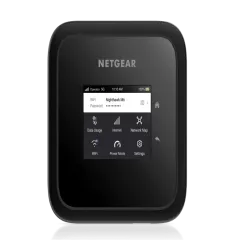
2. Peplink MAX BR1 Pro 5G — Best for Remote Areas
The Peplink MAX BR1 Pro 5G is the router that full-time RVers and serious remote workers swear by. It is not a handheld hotspot — it is a permanently installed mobile router designed for vehicle and marine use. Four SMA antenna ports connect to high-gain external MIMO antennas, and the difference in signal reception compared to a handheld hotspot is dramatic.
In our testing at the same Arizona BLM site, the Peplink with roof-mounted antennas pulled 45 Mbps where the Nighthawk M6 with a window antenna managed 22 Mbps. In a national forest campground in Oregon with effectively no usable signal on a phone, the Peplink maintained a stable 12 Mbps connection — enough for video calls, if somewhat pixelated.
The Peplink’s killer feature for RV use is SpeedFusion technology. If you have two SIMs (say, T-Mobile and AT&T), SpeedFusion can bond both connections into a single, faster, more reliable link. Or it can failover automatically — if one carrier drops, traffic instantly shifts to the other. For remote workers who cannot afford to drop off a client call, this redundancy is invaluable.
The BR1 Pro runs on 12V DC power, making it ideal for direct connection to your RV’s electrical system. It draws about 12-15 watts, which is manageable for most solar/battery setups. An ethernet port provides wired connectivity for your primary work laptop — eliminating WiFi instability from the equation entirely.
Pros
- 4x SMA antenna ports for high-gain external MIMO antennas
- SpeedFusion bonding and failover between two carriers
- 5G and LTE Cat 20 with extensive band support
- 12V DC power — designed for vehicle installation
- Ethernet port for wired laptop connection
- Industrial build quality — designed for marine and vehicle use
- WiFi 6 with up to 60 connected devices
- Admin dashboard is powerful and professional-grade
Cons
- $900+ — significant investment for the router alone
- External antennas add $100-300 to total cost
- Requires installation — drilling for antenna cables, wiring to 12V
- No battery — needs constant power
- SpeedFusion VPN requires a paid FusionHub subscription ($99/year)
- Overkill for weekend camping — sized for full-timers
Best for: Full-time RVers, remote workers who need maximum reliability, and anyone who camps frequently in areas with weak cellular coverage.
Check Peplink BR1 Pro 5G on Amazon
3. GL.iNet Beryl AX (GL-MT3000) — Best Budget Setup
The GL.iNet Beryl AX is not a cellular hotspot — it is a travel router that creates a WiFi network from your phone’s cellular data via USB tethering. For RVers on a budget who already have a phone with a decent data plan, this is the cheapest path to reliable RV internet at $80.
How it works in an RV: Plug your phone into the Beryl AX via USB-C. Your phone shares its cellular data with the router. The Beryl AX broadcasts a WiFi 6 network that your laptop, tablet, TV, and other devices connect to. Your phone charges while connected. Total cost: $80 plus your existing phone plan.
The Beryl AX adds VPN support (run NordVPN at the router level), device management, and WiFi repeating (useful at campgrounds with weak WiFi). It is the Swiss Army knife of travel connectivity.
The limitation for RV use: Your internet quality is only as good as your phone’s cellular reception. A phone inside an RV suffers from the same Faraday cage signal loss as a hotspot. The Beryl AX does not improve signal reception — it only distributes whatever internet your phone provides. For campgrounds with decent cell coverage, this works well. For remote boondocking, you need an external antenna setup (which the Beryl AX does not support).
For a complete review, see our GL.iNet Beryl AX review.
Pros
- Only $80 — cheapest RV internet setup
- No extra data plan needed — uses your phone's existing plan
- WiFi 6 network for all RV devices
- Built-in VPN (WireGuard, OpenVPN)
- Also repeats campground WiFi
- Phone charges while tethered via USB-C
- Compact and portable — take it anywhere
Cons
- No cellular modem — depends entirely on your phone's signal
- No external antenna support — cannot improve reception
- Phone must stay connected and tethered during use
- USB-C powered — needs constant power source
- Not a standalone solution for remote areas
Best for: Budget-conscious RVers, weekend warriors, and anyone who wants to test RV internet before investing in a dedicated hotspot.
Check GL.iNet Beryl AX on Amazon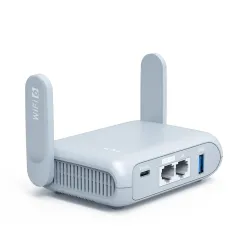
4. Netgear Nighthawk M6 Pro (MR6500) — Fastest for Cities and Suburbs
The M6 Pro adds mmWave 5G and WiFi 6E to the Nighthawk lineup. In RV parks near cities with mmWave deployment, it hit speeds exceeding 800 Mbps in our testing — faster than most home broadband.
For most RVers, the standard M6 is the better value. mmWave 5G requires line-of-sight to a tower and has very short range — you will only encounter it in select urban areas. The Pro makes sense for RVers who spend most of their time in urban and suburban RV parks, where mmWave towers are available, and need the absolute fastest internet.
Check Nighthawk M6 Pro on Amazon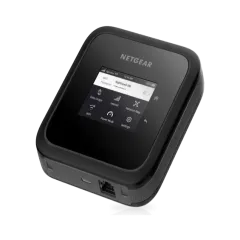
5. T-Mobile 5G Gateway — Best for Stationary RVs
If your RV spends most of its time in one location (seasonal site, long-term RV park, your driveway), T-Mobile’s 5G Home Internet gateway is a compelling option. For $50/month with truly unlimited data and no throttling, it provides the most data for the lowest monthly cost of any option on this list.
The gateway is included with the plan — no upfront hardware cost. It plugs into a standard AC outlet and creates a WiFi 6 network with strong 5G/4G LTE reception thanks to internal MIMO antennas.
The catch: It is designed for a fixed location. T-Mobile technically requires you to use it at your registered address, though enforcement varies. It does not have a battery and is not designed for travel. But for RVers who park for weeks or months at a time, it is the best value for unlimited internet.
External Antennas: The RV Game-Changer
An external antenna is the single most impactful upgrade for RV internet. Your RV’s metal body blocks 10-20 dBm of signal — the difference between video calls and no connection at all.
Types of RV Antennas
Window-mount MIMO antennas ($30-50): Stick to your RV window with suction cups. Connect to your hotspot’s TS-9 ports via short cables. Easy to install, easy to move, moderate signal improvement (5-10 dBm). Best for casual RVers who do not want to drill holes.
Roof-mount MIMO antennas ($80-200): Permanently mounted on your RV roof with cables routed through the ceiling to your router. Significant signal improvement (10-20 dBm) because the antenna sits above the metal roof. Best for full-timers willing to do a proper installation.
Directional panel antennas ($100-250): Point at a specific cell tower for maximum signal gain on a single tower. Outstanding for stationary camping where you know which direction the tower is. Less practical for travel since you need to re-aim at each stop.
Our Antenna Recommendation
For most RVers with a Nighthawk M6, start with a window-mount MIMO antenna ($30-50 on Amazon). It connects directly to the M6’s TS-9 ports and provides a meaningful signal boost without any permanent installation.
If you find yourself frequently in weak signal areas and want the best possible reception, invest in a roof-mount antenna. The combination of a Peplink router and a roof-mount 4x4 MIMO antenna is the gold standard for RV internet.
RV Internet Setups by Budget
Budget Setup: $80 Total
- GL.iNet Beryl AX travel router ($80)
- Your existing phone plan for data
- Best for: Weekend warriors, casual campers, campgrounds with cell coverage
Mid-Range Setup: $450-500 Total
- Netgear Nighthawk M6 unlocked ($400)
- Window-mount MIMO antenna ($50)
- Carrier SIM with 100 GB data ($50-60/month)
- Best for: Regular RVers, part-time remote workers, mixed campground and boondocking
Premium Setup: $1,200-1,500 Total
- Peplink MAX BR1 Pro 5G ($900+)
- Roof-mount MIMO antenna ($150-200)
- Dual carrier SIMs ($80-120/month combined)
- Best for: Full-time RVers, critical remote work, frequent boondocking
Maximum Coverage Setup: $2,000+ Total
- Peplink MAX BR1 Pro 5G ($900+)
- Starlink Mini or RV ($299-599 hardware + $50-165/month) — see our Starlink RV setup guide
- Roof-mount MIMO antenna ($150-200)
- Best for: Full-time remote workers who need internet absolutely everywhere
Mobile Hotspot vs Starlink for RVs
This is the biggest decision for RV internet in 2026. Here is the honest comparison:
| Factor | Mobile Hotspot | Starlink RV |
|---|---|---|
| Coverage | Wherever there are cell towers | Wherever there is sky visibility |
| Speed | 5-300 Mbps (location dependent) | 50-200 Mbps (mostly consistent) |
| Latency | 15-40ms | 25-60ms |
| Monthly Cost | $30-120 (data plan) | $50-165/month |
| Hardware Cost | $80-900+ | $299-599 |
| Setup Time | Instant (turn on) | 5-10 minutes (deploy dish) |
| Power Draw | 5-15W | 40-75W |
| Works in Forests | Yes (if cell coverage) | Limited (needs sky view) |
| Works in Mountains | Varies by terrain | Needs southern sky view |
Our recommendation: If you can only afford one, start with a mobile hotspot — it is cheaper, simpler, and works in more environments (forests, under cover, inside buildings). If reliability is critical for your work, add Starlink as a complementary system for the locations where cellular fails.
For the complete Starlink comparison, see our mobile hotspot vs Starlink guide and Starlink RV setup guide.
VPN for RV Internet
When connecting through cellular or campground WiFi, a VPN protects your data and provides consistent access to work tools. We recommend running NordVPN either on your individual devices or directly on a travel router like the GL.iNet Beryl AX (which supports WireGuard and OpenVPN natively).
A VPN also helps with campground WiFi networks, which are shared with every guest in the park and trivially easy to intercept. Never access banking, work email, or client systems on campground WiFi without a VPN active.
The Bottom Line
For most RVers, the Netgear Nighthawk M6 paired with a window-mount MIMO antenna ($450 total) delivers the best combination of performance, portability, and value. It handles everything from urban RV parks to moderate boondocking with reliable speeds.
If budget is the priority, the GL.iNet Beryl AX at $80 gets you started with phone tethering and covers most campground scenarios.
If remote work reliability is non-negotiable and you camp in weak signal areas, the Peplink MAX BR1 Pro 5G with roof-mount antennas is the professional-grade setup that full-time RVers rely on daily.
For more RV and van connectivity options, see our van life internet guide, best mobile hotspots overall guide, and Starlink RV setup guide. For securing your RV internet, see our guide to travel routers.
Frequently Asked Questions
What is the best mobile hotspot for an RV?
For most RVers, the Netgear Nighthawk M6 ($400) offers the best balance of 5G/4G performance, battery life (13 hours), and portability. For RVers who need the strongest possible signal in remote areas, a Peplink MAX BR1 Pro 5G ($900+) with external MIMO antennas delivers dramatically better reception by mounting high-gain antennas on the roof. Budget-conscious RVers can start with a GL.iNet Beryl AX travel router ($80) paired with phone tethering.
Do I need an external antenna for my RV hotspot?
In most cases, yes. An RV's metal body acts as a Faraday cage that blocks cellular signals. An external MIMO antenna mounted on the roof receives signals that a handheld hotspot inside the RV cannot. In our testing, external antennas improved signal strength by 10-20 dBm and increased download speeds by 200-400% in weak signal areas. If you primarily camp in areas with strong cellular coverage, an internal hotspot may suffice. For boondocking, national forests, and rural areas, external antennas are essential.
Is Starlink better than a mobile hotspot for an RV?
They solve different problems. Starlink RV provides consistent 50-200 Mbps internet almost everywhere with sky visibility — including areas with zero cellular coverage. A mobile hotspot depends on cellular towers, so coverage is excellent near highways and cities but drops in remote areas. The trade-off: Starlink costs $599 upfront plus $165/month and requires a clear sky view. A hotspot costs $80-400 upfront plus $30-60/month for data. Many serious RVers carry both for maximum coverage. See our full comparison in our Starlink vs mobile hotspot guide.
How much data do I need for RV internet?
For a typical RVer who works remotely, streams entertainment, and browses the web: 100-200 GB per month. Video calls consume 1-2 GB per hour, streaming at 1080p uses about 3 GB per hour, and general work (email, web, cloud apps) uses 1-2 GB per day. If you stream 4K video, game online, or have multiple heavy users, budget 300+ GB per month. T-Mobile's Home Internet (if available at your campsite) and some cellular plans now offer truly unlimited data.
What cellular carrier has the best RV coverage?
T-Mobile has the widest 5G coverage nationwide. AT&T has the most reliable 4G LTE coverage in rural areas. Verizon has strong urban and suburban coverage but weaker rural penetration. For cross-country RV travel, a dual-SIM setup with T-Mobile and AT&T provides the best combined coverage. If you only want one carrier, T-Mobile's 5G Home Internet or their Magenta MAX plan offers the best combination of coverage and data for RV use.
Can I use my phone as a hotspot in an RV?
Yes, and it is the cheapest way to get started. Most unlimited phone plans include 40-50 GB of hotspot data. The limitation is that your phone's antenna is inside the RV (poor signal) and your phone battery drains quickly while tethering. For occasional use, phone tethering works. For daily remote work, a dedicated hotspot with external antenna capability provides dramatically better performance and does not drain your phone.
What is the best budget RV internet setup?
A GL.iNet Beryl AX travel router ($80) connected to your phone via USB tethering. Your phone provides cellular data using its existing plan, the Beryl AX creates a WiFi network for all your devices, and your phone charges via USB simultaneously. Total cost: $80 plus your existing phone plan. This setup is ideal for weekend warriors and RVers who camp primarily in areas with decent cell coverage.