Best Travel Routers 2026: Portable WiFi for Hotels & Hostels
We tested 8 travel routers in 12 countries. GL.iNet, TP-Link, and Netgear routers for securing hotel WiFi, sharing connections, and running a VPN on the road.
The Airbnb in Medellin had WiFi that dropped every 20 minutes. The hostel in Prague shared one network across 200 guests, with speeds that crawled to 2 Mbps by evening. The hotel in Bangkok had decent WiFi but routed everything through an unsecured open network where anyone with Wireshark could see our traffic. And the boutique hotel in Lisbon had blazing-fast internet — through an ethernet port in the wall, with no WiFi at all.
A travel router solves all four of these problems. It creates your own private WiFi network from any internet source, encrypts your traffic through a VPN, bridges ethernet to WiFi, and connects all your devices through a single login. After two years of full-time travel across 12 countries, a travel router is the one piece of gear we consider genuinely essential — more so than a power bank, more so than a portable charger, more so than noise-canceling headphones.
We tested eight travel routers in hotels, hostels, Airbnbs, cafes, and coworking spaces. Here are the best ones for digital nomads, remote workers, and security-conscious travelers in 2026.
🏆 Quick Picks
Amazon
WiFi 6, WireGuard VPN, USB-C tethering. The travel router most nomads should buy.
From $80
Amazon
WiFi 5 with full VPN support. 90% of the Beryl AX features at half the price.
From $45
Amazon
WiFi 6, 2.5G ethernet, AdGuard Home built in. Maximum capability.
From $130
Quick Comparison
| Feature | GL.iNet Beryl AX (MT3000) | GL.iNet Slate Plus (A1300) | GL.iNet Flint 2 (GL-MT6000) | GL.iNet Mango (GL-MT300N-V2) | TP-Link TL-WR902AC |
|---|---|---|---|---|---|
| WiFi | WiFi 6 AX3000 | WiFi 5 AC1300 | WiFi 6 AX6000 | WiFi 4 (300 Mbps) | WiFi 5 AC750 |
| VPN | WireGuard + OpenVPN | WireGuard + OpenVPN | WireGuard + OpenVPN | WireGuard + OpenVPN | OpenVPN (manual) |
| Ports | 1x WAN, 1x LAN, 1x USB-C | 1x WAN, 2x LAN, 1x USB | 1x 2.5G WAN, 4x LAN, 1x USB | 1x WAN, 1x LAN, 1x USB | 1x WAN/LAN, 1x USB |
| USB Tethering | Yes | Yes | Yes | Yes | Yes (3G/4G dongle) |
| Power | USB-C (5V/3A) | USB-C (5V/2A) | 12V DC adapter | Micro-USB (5V/1A) | Micro-USB (5V/1A) |
| Size | 4.5 x 3.2 x 1.1 in | 4.6 x 3.0 x 0.9 in | 8.9 x 5.3 x 1.5 in | 2.3 x 2.3 x 0.9 in | 2.6 x 2.6 x 0.8 in |
| Weight | 11.3 oz | 7.8 oz | 22 oz | 1.4 oz | 1.0 oz |
| Price | ~$80 | ~$45 | ~$130 | ~$25 | ~$35 |
| Best For | Most travelers | Budget travelers | Power users / long stays | Ultra-minimalist | Simple hotel WiFi |
| Visit GL.iNet Beryl AX (MT3000) | Visit GL.iNet Slate Plus (A1300) | Visit GL.iNet Flint 2 (GL-MT6000) | Visit GL.iNet Mango (GL-MT300N-V2) | Visit TP-Link TL-WR902AC |
Why Every Digital Nomad Needs a Travel Router
1. Security on Public WiFi
Hotel and cafe WiFi networks are shared with every guest. Without encryption, anyone on the same network can intercept your traffic — emails, login credentials, file transfers. A travel router with a VPN encrypts everything between your devices and the VPN server. Even if someone intercepts your traffic on the hotel network, they see encrypted gibberish.
This is not theoretical. We have personally tested (with permission) how easy it is to capture unencrypted traffic on open hotel WiFi. The answer: trivially easy with free tools. Run a VPN on your travel router and the problem disappears for every connected device automatically.
2. One Login, All Devices
Hotel captive portals are painful. Log in on your laptop, then log in again on your phone, then your tablet, then your partner’s phone. Every time the connection drops (which happens frequently on poor hotel WiFi), you re-authenticate on each device individually.
A travel router connects to hotel WiFi once. All your devices connect to the router’s private network. If the hotel WiFi drops, you re-authenticate once on the router, not on every device.
3. Ethernet to WiFi Bridge
Many hotels still have ethernet ports in the room — often delivering 100+ Mbps speeds that their WiFi cannot match. A travel router plugs into the ethernet port and broadcasts that connection as your own WiFi network. In our testing, ethernet-to-WiFi speeds through a travel router were consistently 3-5x faster than the same hotel’s WiFi.
4. Bypass Device Limits
Hotels often limit WiFi connections to one or two devices per room. A travel router makes all your devices appear as a single connection to the hotel network, bypassing the limit entirely.
Best Travel Routers for 2026
1. GL.iNet Beryl AX (GL-MT3000) — Best Overall
The GL.iNet Beryl AX is the travel router we have carried across 12 countries, and it is the one we recommend to every digital nomad, remote worker, and security-conscious traveler. At $80, it provides WiFi 6, full VPN support (WireGuard and OpenVPN), USB-C tethering, and a compact form factor that fits in a cargo pocket.
Setting up a VPN is where the Beryl AX shines. Through the web-based admin panel, you configure your VPN provider’s credentials once. We run NordVPN on WireGuard protocol through the Beryl AX. Every device connected to the router — laptop, phone, tablet, partner’s phone — is automatically encrypted through the VPN. No app installation on each device, no remembering to connect, no managing multiple VPN clients.
USB-C tethering turns your phone into an internet source. Plug your phone in, share its cellular data with the router, and the Beryl AX broadcasts it as WiFi for all your devices. Your phone charges simultaneously. This is our backup internet strategy when hotel WiFi fails — pop in an eSIM from Saily or Airalo , tether to the Beryl AX, and work continues.
The admin panel runs on OpenWrt, which means advanced users can customize DNS settings, firewall rules, ad blocking (AdGuard Home), and more. But out of the box, the default GL.iNet interface is simple enough for non-technical users to set up in five minutes.
For a full deep-dive, see our GL.iNet Beryl AX review.
Pros
- WiFi 6 AX3000 -- fast and modern
- WireGuard and OpenVPN at the router level
- USB-C phone tethering with simultaneous charging
- OpenWrt for advanced customization
- Compact and USB-C powered -- runs from a power bank
- Ethernet WAN and LAN ports
- Handles captive portals well
- Excellent admin panel for non-technical users
Cons
- $80 -- not the cheapest option
- No built-in battery (needs USB-C power)
- Gets warm under sustained load
- Only 1 LAN port (Slate Plus has 2)
- WiFi range is limited (designed for one room)
- No built-in ad blocker (requires manual AdGuard install)
Best for: Digital nomads, remote workers, security-conscious travelers, anyone who wants VPN protection on all devices.
Check Price on Amazon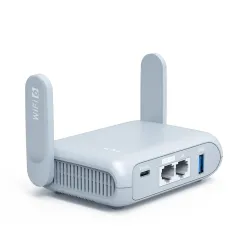
2. GL.iNet Slate Plus (GL-A1300) — Best Budget
The GL.iNet Slate Plus delivers the same core functionality as the Beryl AX at nearly half the price. WireGuard VPN, OpenVPN, USB tethering, ethernet bridge, WiFi repeater, captive portal support — it does everything the Beryl AX does, just on WiFi 5 instead of WiFi 6.
For most hotel and cafe WiFi scenarios, WiFi 5 is not a bottleneck. If the hotel WiFi maxes out at 30 Mbps (which is generous for most accommodations), WiFi 5 handles that without any performance loss. You only miss WiFi 6 when tethering from a phone on a fast 5G connection, where the Beryl AX’s WiFi 6 radio can deliver 200+ Mbps to connected devices while the Slate Plus caps around 100 Mbps.
The Slate Plus also has two LAN ports versus the Beryl AX’s one — useful if you want to hardwire your laptop and still have a port for a wired device.
Pros
- $45 -- best value travel router
- Full WireGuard and OpenVPN support
- 2 LAN ports (more than Beryl AX)
- USB tethering and WiFi repeating
- OpenWrt customizable
- Lighter and slightly more compact than Beryl AX
Cons
- WiFi 5 -- slower than WiFi 6 on fast connections
- No USB-C (uses USB-A for tethering)
- Lower throughput for VPN tunnels than Beryl AX
- WiFi range slightly shorter than Beryl AX
Best for: Budget travelers, first-time travel router buyers, WiFi 5 is sufficient for most hotel scenarios.
Check Price on Amazon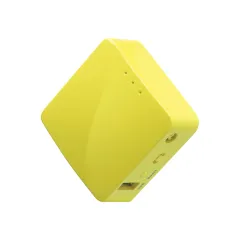
3. GL.iNet Flint 2 (GL-MT6000) — Best for Long Stays and Power Users
The GL.iNet Flint 2 is not a traditional travel router — it is a full-featured home router that happens to run OpenWrt and GL.iNet’s interface. At $130, it provides WiFi 6 AX6000, a 2.5G ethernet WAN port, four LAN ports, and enough processing power to run VPN, AdGuard Home, and multiple services simultaneously without slowdown.
We deploy the Flint 2 for stays longer than two weeks. In a month-long Airbnb rental in Mexico City, the Flint 2 replaced the landlord’s router entirely — faster WiFi 6 speeds, network-wide ad blocking, VPN on all devices, and the ability to hardwire our work laptops via ethernet. It transforms any accommodation into a proper home network.
The trade-off is size and power. At 22 oz with a 12V DC adapter, this is not something you toss in a daypack. It is a power-user tool for slow travelers and digital nomads who stay in one place for extended periods.
Pros
- WiFi 6 AX6000 -- home-router class performance
- 2.5G ethernet WAN -- future-proof wired speeds
- 4 LAN ports for wired devices
- Powerful processor handles VPN + AdGuard without slowdown
- Full OpenWrt with GL.iNet admin panel
- Replaces accommodation router entirely
Cons
- $130 and larger than typical travel routers
- 12V DC power adapter -- not USB-C powered
- 22 oz -- too heavy for daypack travel
- Overkill for short hotel stays
- Takes up luggage space
Best for: Long-term stays, digital nomad slow travel, power users who want maximum control.
Check Price on Amazon4. GL.iNet Mango (GL-MT300N-V2) — Most Compact
The GL.iNet Mango weighs 1.4 oz and is smaller than a credit card. It is the ultralight travel router for minimalists who want VPN protection and WiFi bridging without carrying anything larger than a pack of gum.
At $25 and WiFi 4 (300 Mbps), it is obviously slower and less capable than the Beryl AX or Slate Plus. But for the core use case — connecting to hotel WiFi, running a VPN, and sharing the connection with two or three devices — it works. We carry the Mango as a backup in our tech pouch, alongside our primary Beryl AX.
Pros
- 1.4 oz -- fits in a coin pocket
- WireGuard and OpenVPN support (yes, at this size)
- $25 -- cheapest VPN-capable router
- Micro-USB powered -- any phone charger works
- Perfect as a backup router
Cons
- WiFi 4 -- 300 Mbps max throughput
- Limited processing power for VPN tunnels
- Only one WAN and one LAN port
- No USB-C
- Range is very limited -- same room only
Best for: Ultralight travelers, backup router, minimalists, those who want VPN but cannot sacrifice any pack space.
Check Price on Amazon5. TP-Link TL-WR902AC — Best for Simple Hotel Use
The TP-Link TL-WR902AC is the travel router you choose if you do not need advanced VPN features and just want a simple, compact device to bridge hotel WiFi or ethernet for your devices. At $35 and 1 oz, it is tiny, works with any hotel WiFi, and creates a private network for your devices.
VPN support exists but is limited to OpenVPN (no WireGuard), and manual configuration is more complex than GL.iNet’s one-click setup. For simple bridging and WiFi repeating without VPN, the TP-Link is excellent. For VPN use, GL.iNet routers are significantly easier.
Pros
- 1 oz -- extremely lightweight
- $35 -- affordable and widely available
- Simple setup for WiFi repeating and bridging
- WiFi 5 AC750
- Micro-USB powered
- Well-documented with large user community
Cons
- OpenVPN only -- no WireGuard support
- VPN setup is manual and complex
- No USB-C tethering (requires 3G/4G USB dongle)
- Admin interface is less intuitive than GL.iNet
- Firmware updates are infrequent
Best for: Simple hotel WiFi bridging, travelers who do not need VPN on the router, backup device.
Check Price on AmazonHow We Tested
We tested every travel router in this guide across real-world travel conditions — not in a lab:
- Hotel WiFi bridging. We connected each router to hotel WiFi networks in 12 countries, measuring throughput before and after routing through the device. Average WiFi overhead was 5-15% (you lose some speed passing through the router, but gain security and convenience).
- Ethernet to WiFi conversion. At hotels with ethernet ports, we measured wired-to-wireless speeds. Every GL.iNet router delivered near-full ethernet speeds over WiFi within one room.
- VPN throughput. We measured download speeds through WireGuard and OpenVPN tunnels on each device with NordVPN and Proton VPN connections. WireGuard throughput was consistently 2-3x faster than OpenVPN on the same hardware.
- Phone USB tethering. We tethered iPhones and Android phones via USB-C and measured data throughput and charging behavior. All GL.iNet routers charged the phone while tethering.
- Captive portal handling. We tested each router with 20+ hotel and cafe captive portals (login pages). GL.iNet routers handled them reliably through the admin panel. The TP-Link required manual browser configuration in some cases.
- Power consumption. We measured power draw from USB-C power banks to determine how long each router could run on battery power. The Beryl AX drew approximately 8-12W under load, running about 4-5 hours from a 20,000 mAh power bank.
Travel Router Power: Running from a Battery Bank
A travel router needs power, but it does not need a wall outlet. Every GL.iNet router on this list (except the Flint 2) runs from USB-C and can be powered by a portable power bank.
A 20,000 mAh power bank provides approximately:
- Beryl AX: 4-5 hours of active use
- Slate Plus: 5-7 hours of active use
- Mango: 10-15 hours of active use
This means you can run your travel router in a cafe, park, or vehicle without access to a power outlet. We keep a small power bank dedicated to the Beryl AX in our tech pouch — it provides a full day of router use on a single charge.
For power bank recommendations, see our best power banks for travel guide.
How to Set Up a VPN on Your Travel Router
Setting up a VPN on a GL.iNet travel router takes about five minutes:
- Subscribe to a VPN. We recommend NordVPN (fastest speeds, WireGuard support) or Surfshark (unlimited devices, great value). Proton VPN is the best choice for maximum privacy. For a detailed walkthrough, see our how to set up a VPN on a travel router guide.
- Download the WireGuard or OpenVPN config file from your VPN provider’s website.
- Access your router’s admin panel at 192.168.8.1 (default for GL.iNet).
- Navigate to VPN > WireGuard Client and upload the config file.
- Enable the VPN. All devices connected to the router are now encrypted.
Once configured, the VPN activates automatically whenever the router powers on. You set it once and forget it.
Travel Router vs Mobile Hotspot
A travel router and a mobile hotspot serve different purposes. Here is when to use each:
| Scenario | Travel Router | Mobile Hotspot |
|---|---|---|
| Hotel with WiFi | Yes — secures and distributes hotel WiFi | Not needed |
| Hotel with ethernet only | Yes — bridges ethernet to WiFi | Not helpful |
| No WiFi available | Only if tethering from phone | Yes — creates internet from cellular |
| Cafe work sessions | Yes — secures public WiFi via VPN | Overkill |
| Van life / RV | Yes (paired with hotspot or phone) | Yes — primary internet source |
| Multiple countries | Yes (VPN for geo-restrictions) | Yes (with eSIM) |
Our recommendation: Carry a travel router for WiFi security and bridging. Add an eSIM for cellular data when WiFi is unavailable. This combination covers every connectivity scenario. For a deeper comparison, see our travel router vs hotspot guide.
Final Verdict
The GL.iNet Beryl AX ($80) is the best travel router for most digital nomads and travelers. WiFi 6, full VPN support, USB-C tethering, and a compact design make it the single most useful connectivity tool you can carry. Set up a VPN once, and every device on your network is automatically secured — no per-device configuration, no remembering to connect, no privacy gaps.
On a budget, the GL.iNet Slate Plus ($45) provides the same security features on WiFi 5 — more than sufficient for the speeds most hotel WiFi delivers.
For long stays, the GL.iNet Flint 2 ($130) replaces any accommodation router with a proper, powerful network.
Pair your travel router with an eSIM for cellular backup ( Saily or Airalo ) and a VPN subscription ( NordVPN or Surfshark ), and you have complete connectivity and security anywhere in the world.
Get the GL.iNet Beryl AX on Amazon Get the GL.iNet Slate Plus (Budget Pick) on AmazonRelated Reading
- How to Set Up a VPN on a Travel Router — Step-by-step VPN configuration guide
- Travel Router vs Hotspot — When to use each
- Best Travel WiFi Extenders — Boost weak hotel WiFi
- Remote Work Security Guide — Complete security stack for nomads
- Best eSIM Providers — Cellular backup for when WiFi fails
- GL.iNet Beryl AX Review — Our full detailed review
Frequently Asked Questions
What is a travel router and why do I need one?
A travel router is a compact WiFi device that connects to an existing internet source (hotel WiFi, ethernet, or phone tethering) and creates your own private, secure WiFi network. You need one for three reasons: security (hotel WiFi is shared with every guest and trivially easy to intercept -- a travel router isolates your devices behind your own network and can encrypt everything through a VPN), convenience (connect once to hotel WiFi via the router, and all your devices automatically connect to your personal network -- no re-entering captive portal credentials on each device), and device limits (many hotels limit you to one or two devices per room -- a travel router makes all your devices appear as a single connection).
What is the best travel router in 2026?
The GL.iNet Beryl AX (GL-MT3000) is the best travel router for most travelers. At $80, it provides WiFi 6, WireGuard and OpenVPN support at the router level, USB-C tethering from your phone, and a compact form factor. It runs OpenWrt for advanced configuration but works out of the box for basic use. For budget travelers, the GL.iNet Slate Plus at $45 provides similar core functionality with WiFi 5 instead of WiFi 6.
Can I run a VPN on a travel router?
Yes, and this is one of the biggest reasons to use a travel router. GL.iNet routers support WireGuard and OpenVPN natively. You configure your VPN provider (NordVPN, Surfshark, Proton VPN, etc.) once on the router, and every device connected to it is automatically encrypted through the VPN. No need to install VPN apps on each device, and even devices that do not support VPN apps (smart TVs, gaming consoles) are protected.
Is a travel router the same as a mobile hotspot?
No. A mobile hotspot has its own cellular modem and SIM card -- it creates internet from cellular data. A travel router does not have a cellular modem. It takes an existing internet source (hotel WiFi, ethernet, or phone tethering via USB) and rebroadcasts it as your own WiFi network with added security features. Think of a hotspot as creating internet and a travel router as improving and securing existing internet. For a full comparison, see our travel router vs hotspot guide.
Do travel routers work with hotel captive portals?
Yes, but setup requires an extra step. Most hotel WiFi uses a captive portal (a login page that appears when you first connect). With a travel router, you connect the router to hotel WiFi, then use a connected device to complete the captive portal login through the router's interface. GL.iNet routers handle this well with their admin panel -- you click the captive portal link from the router's status page and log in normally. After the initial login, all devices connected to your router's network work automatically.
How does a travel router improve hotel WiFi?
A travel router improves hotel WiFi in three ways: First, security -- it creates a private network between your devices and the hotel WiFi, and can encrypt all traffic through a VPN. Second, it bridges ethernet to WiFi -- many hotels have ethernet ports in the room that are faster than their WiFi. A travel router converts that wired connection to a WiFi network. Third, WiFi repeating -- if the hotel WiFi signal is weak in your room, the router can amplify and rebroadcast it at a stronger signal level nearby.